Text-based Storyboard — Don't Click
Kit 13 · Don't Click · deliverable · designed and built by I Wayan Usada · fictional company, reserved .example domains
Design premise
Five inbox messages, two of them genuine. Revised after the build so it describes what the 2D drill and the 3D office actually do. Both read one file (mails.js), so counts and answers cannot drift again.
Per-message structure
- Read the message: display name, full address, timestamp, body (Dutch where a Dutch sender would write Dutch).
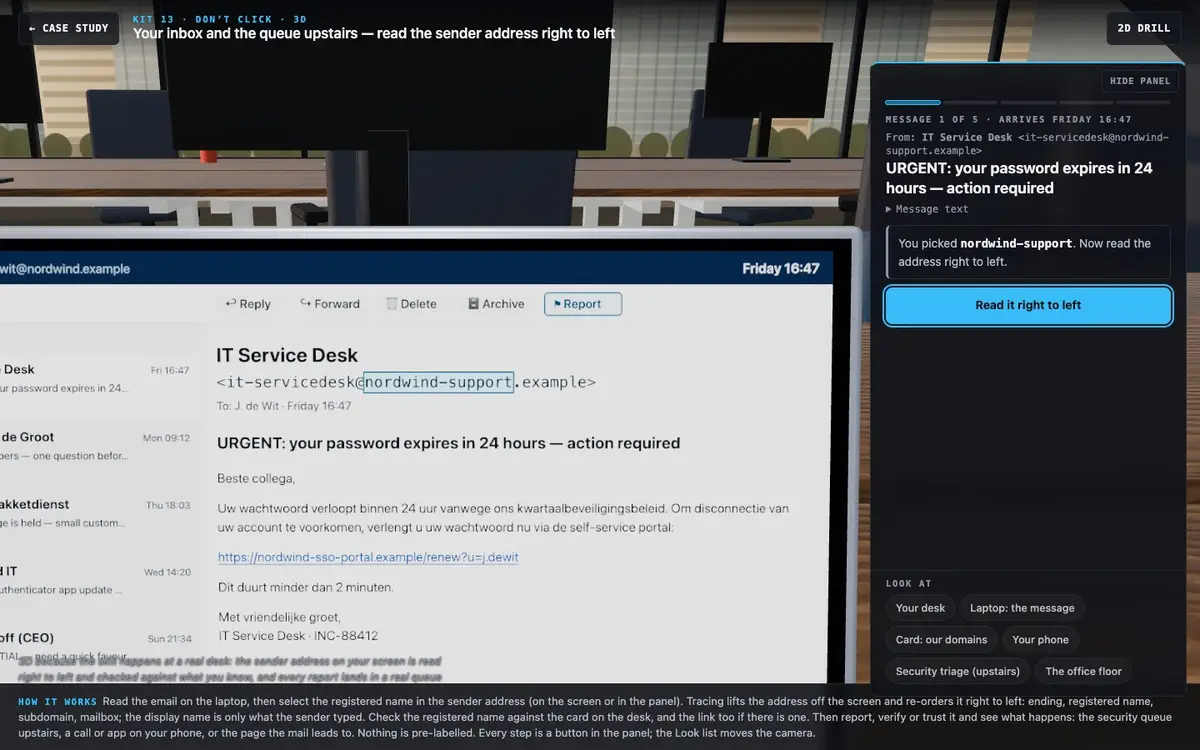
- Name the building. "Read the address right to left. Which registered name does this mail really come from?" Three options: the real registered name, the company the display name claims, and a subdomain, mailbox or ending. Scored 1 / 0. In 3D you select it in the sender address on the laptop screen (or in the panel), before the address is traced.
- Act. Report as phishing · Verify first (through a channel you already know) · Treat as genuine. Scored 2 / 1 / 0.
- Feedback on the action, then the tells for that message.
Message plan (dealt in random order)
| Message | Address → registered name | Kind | Best | Defensible | Critical | What it trains |
|---|---|---|---|---|---|---|
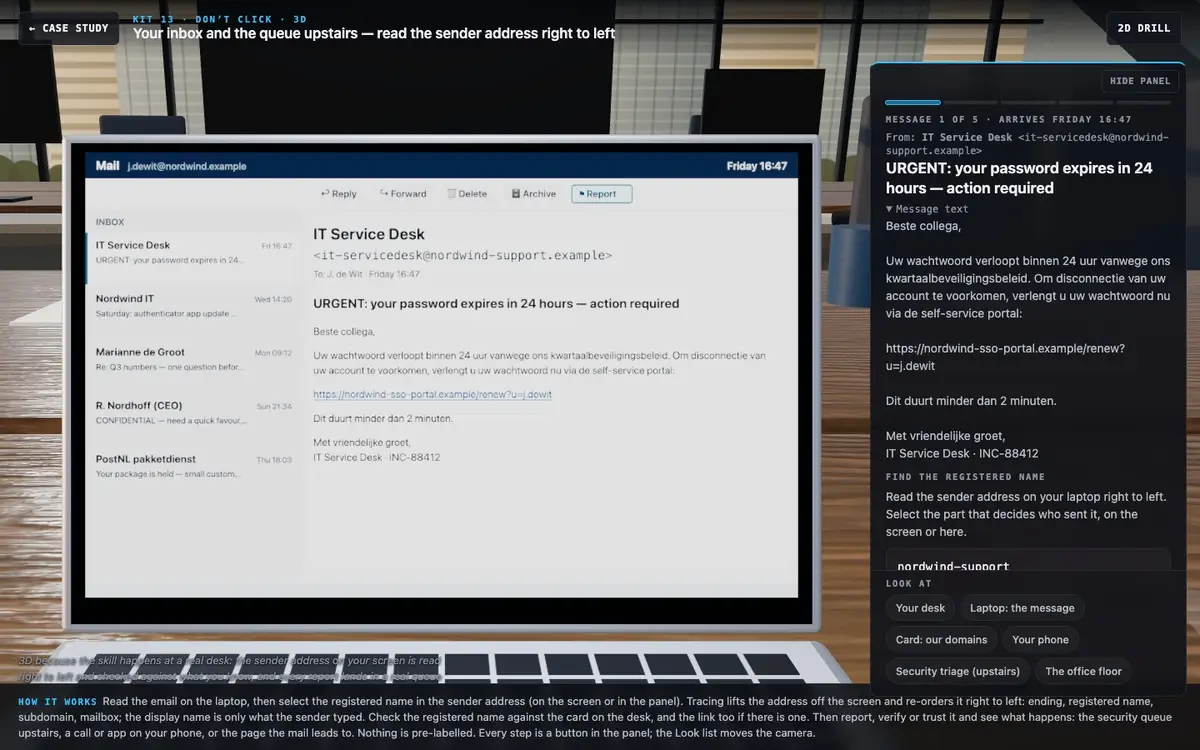
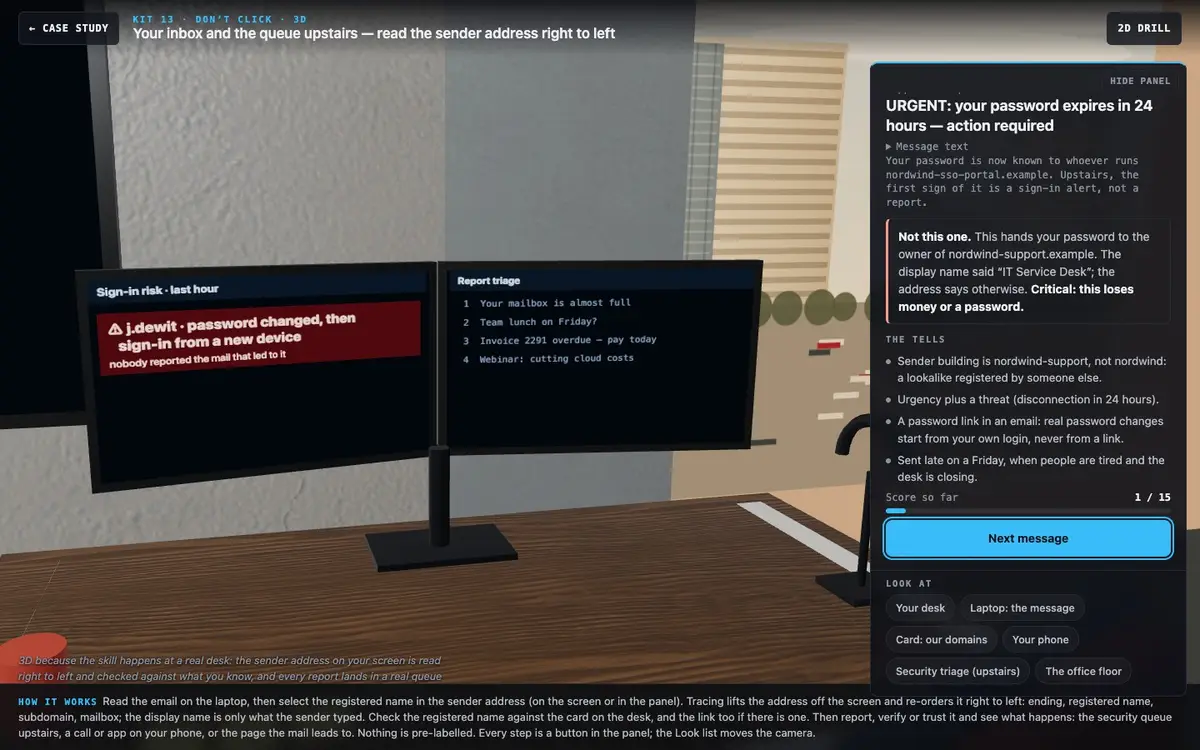
| IT Service Desk, password expiry (Fri 16:47) | it-servicedesk@nordwind-support.example | Credential harvest | Report | Verify | Trust | A lookalike that contains the company name |
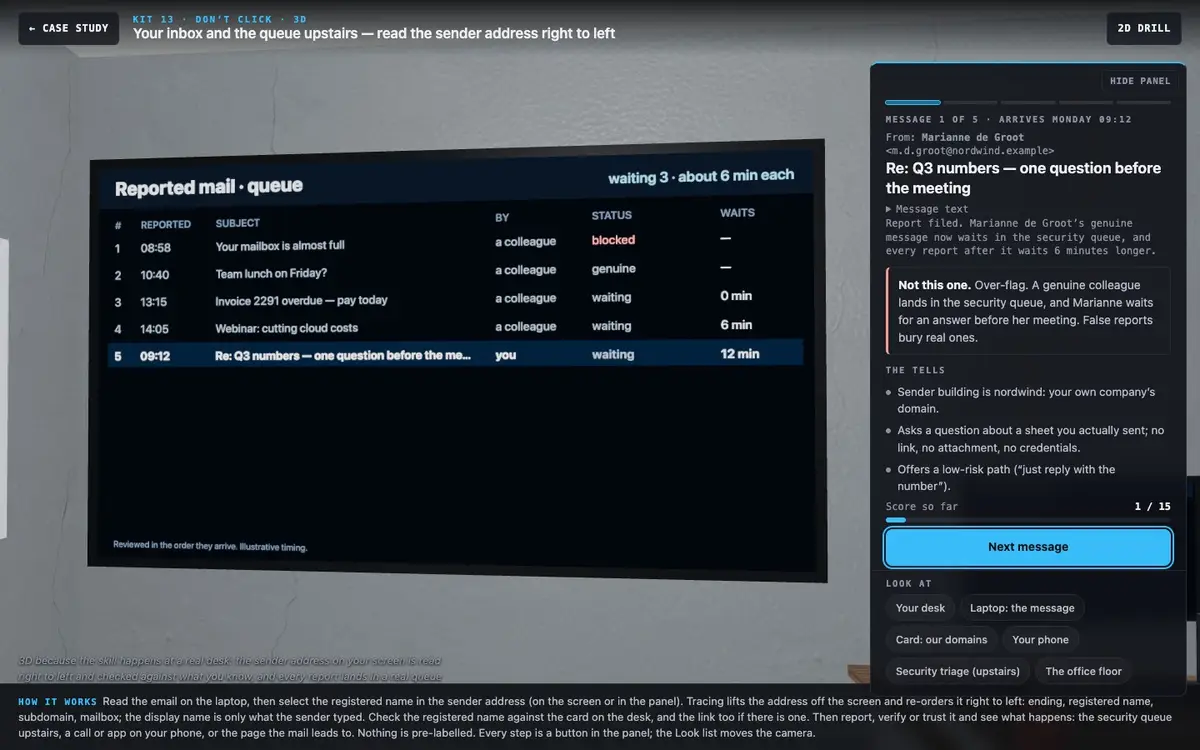
| Marianne de Groot, Q3 question (Mon 09:12) | m.d.groot@nordwind.example | Genuine | Trust | Verify | — | Over-flagging has a cost |
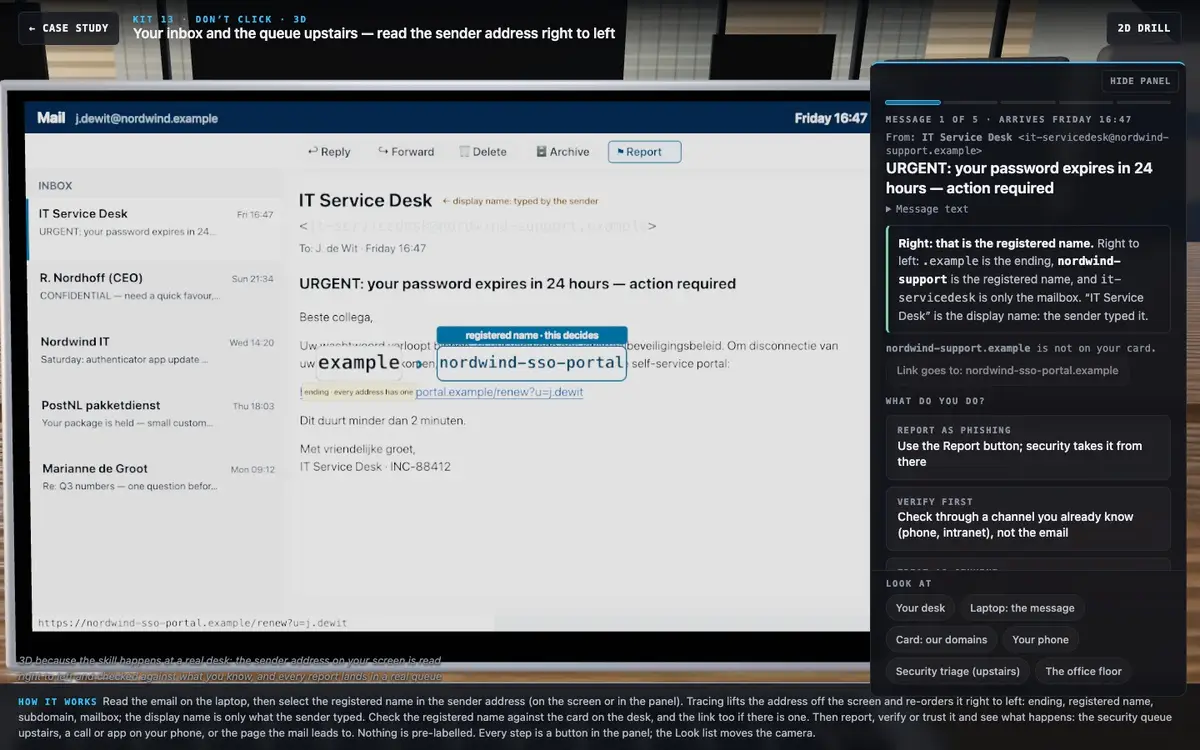
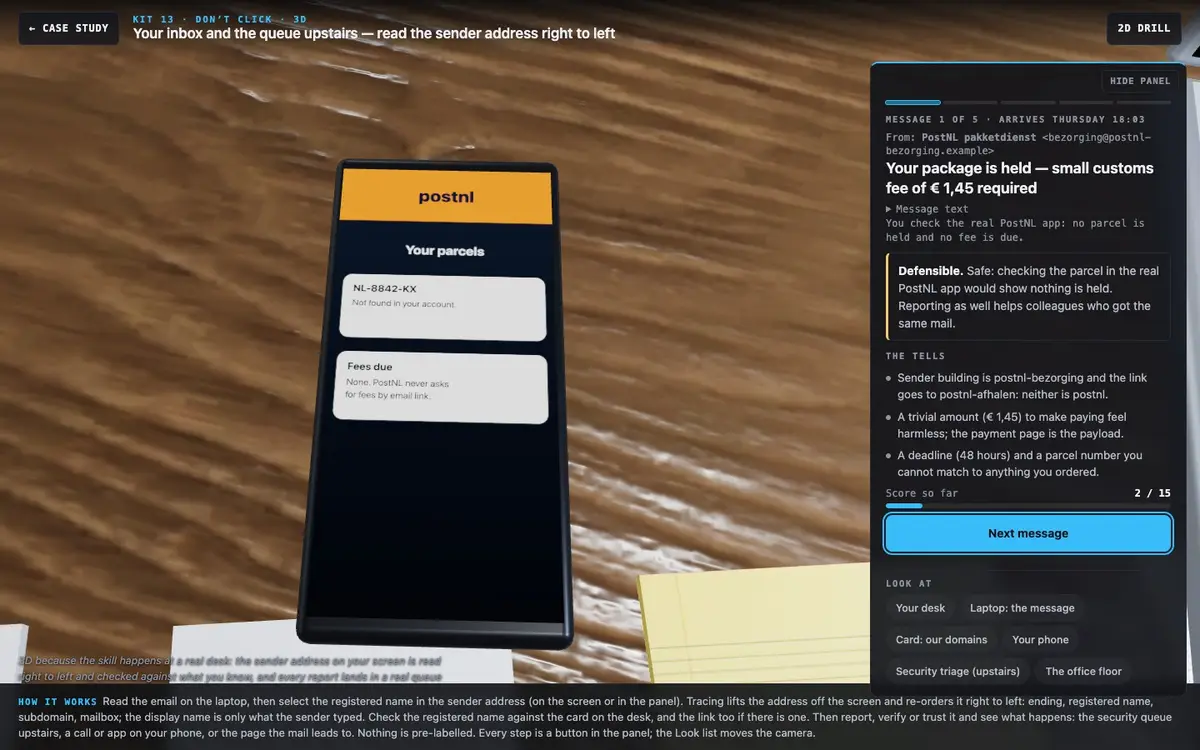
| PostNL, € 1,45 customs fee (Thu 18:03) | bezorging@postnl-bezorging.example, link to postnl-afhalen | Payment trap | Report | Verify | — | Sender and link can be two different lookalikes |
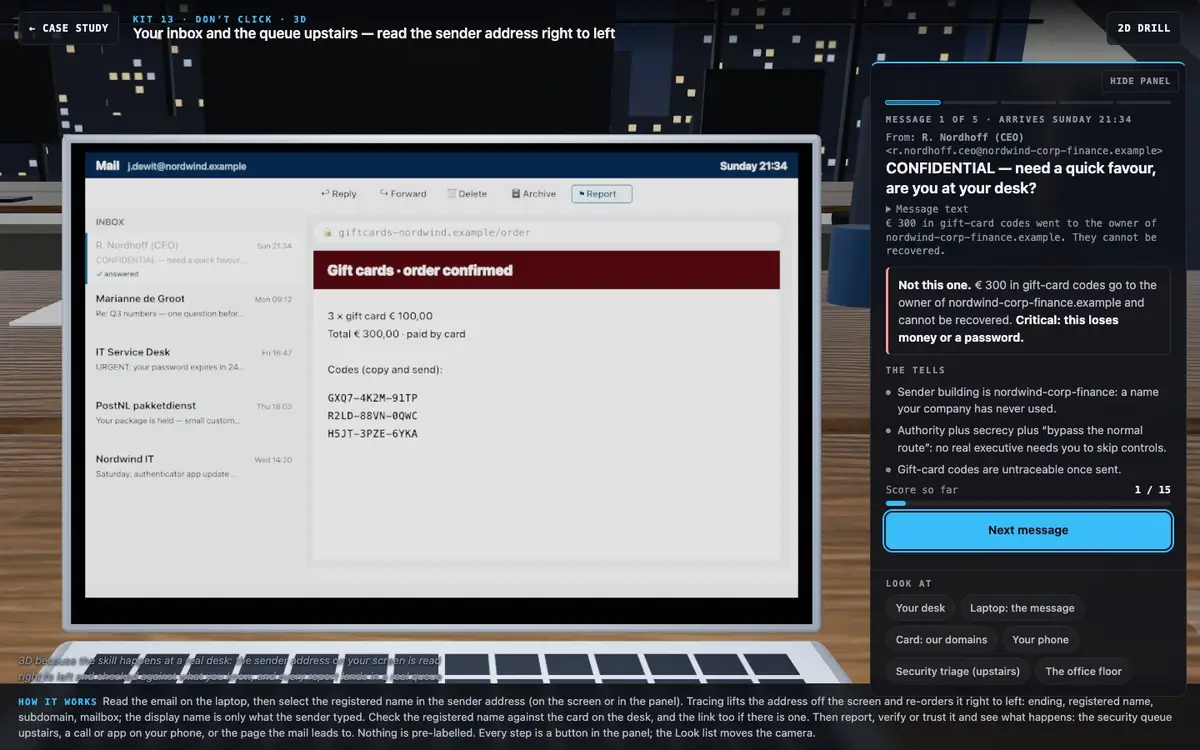
| R. Nordhoff (CEO), gift cards (Sun 21:34) | r.nordhoff.ceo@nordwind-corp-finance.example | CEO fraud | Report | Verify | Trust | Authority + secrecy + "skip the normal route" |
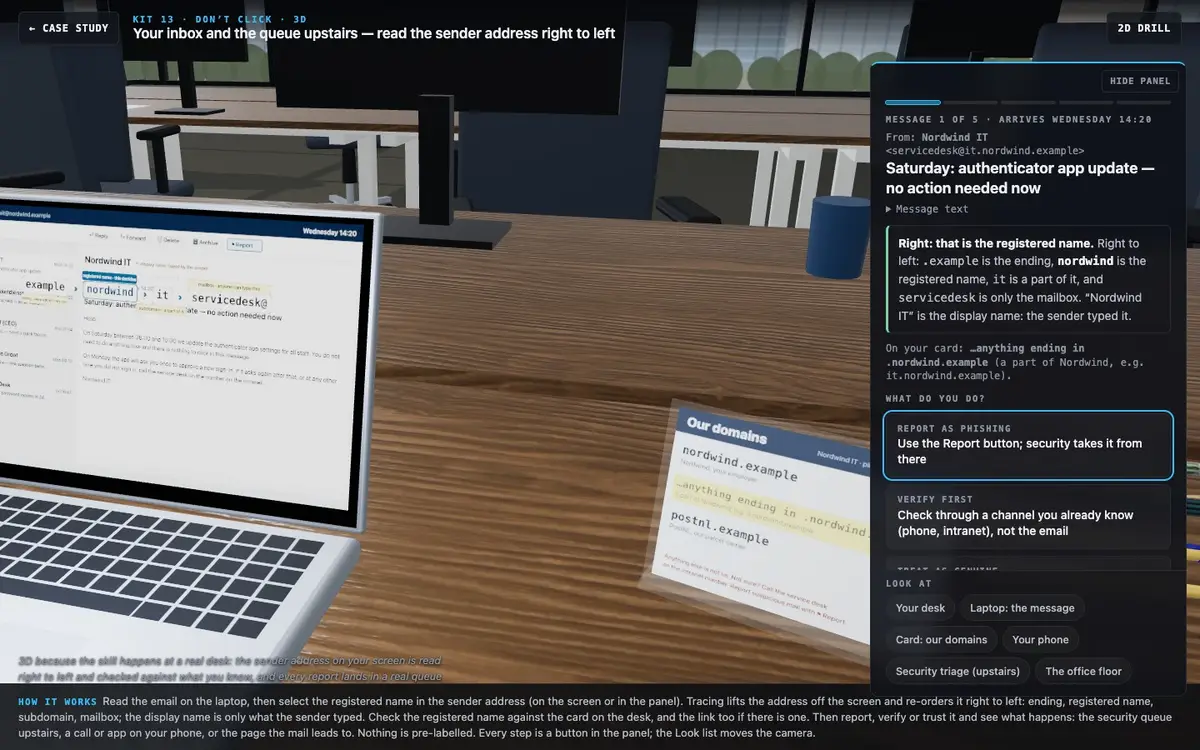
| Nordwind IT, authenticator update (Wed 14:20) | servicedesk@it.nordwind.example | Genuine | Trust | Verify | — | A subdomain of your own company is your own building |
The two IT messages are the designed pair: both say "IT" and both mention sign-in. Reading left to right they look alike; reading right to left one ends at nordwind-support and the other at nordwind.
Scoring and pass rule
Up to 3 per message, 15 in total. Pass = 12 or more, no lost password or gift cards, and at most one genuine message reported. The over-flag limit makes calibration part of the standard, not a footnote.
3D · your inbox and the queue upstairs
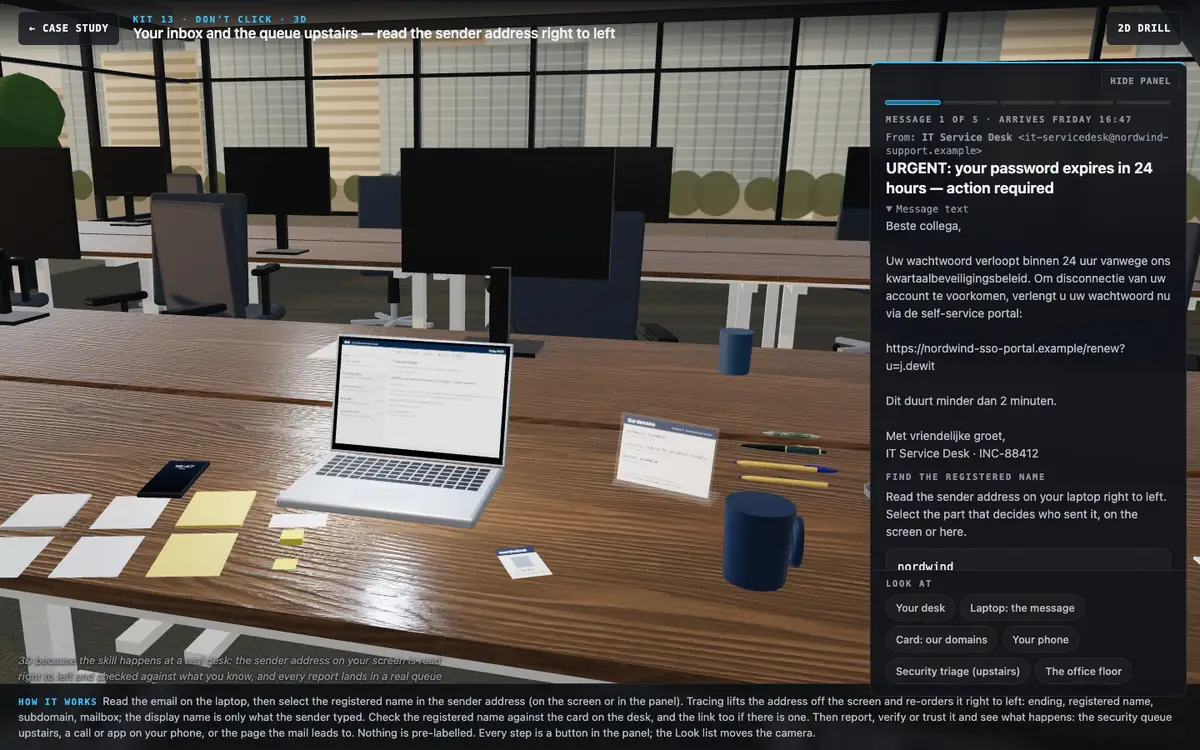
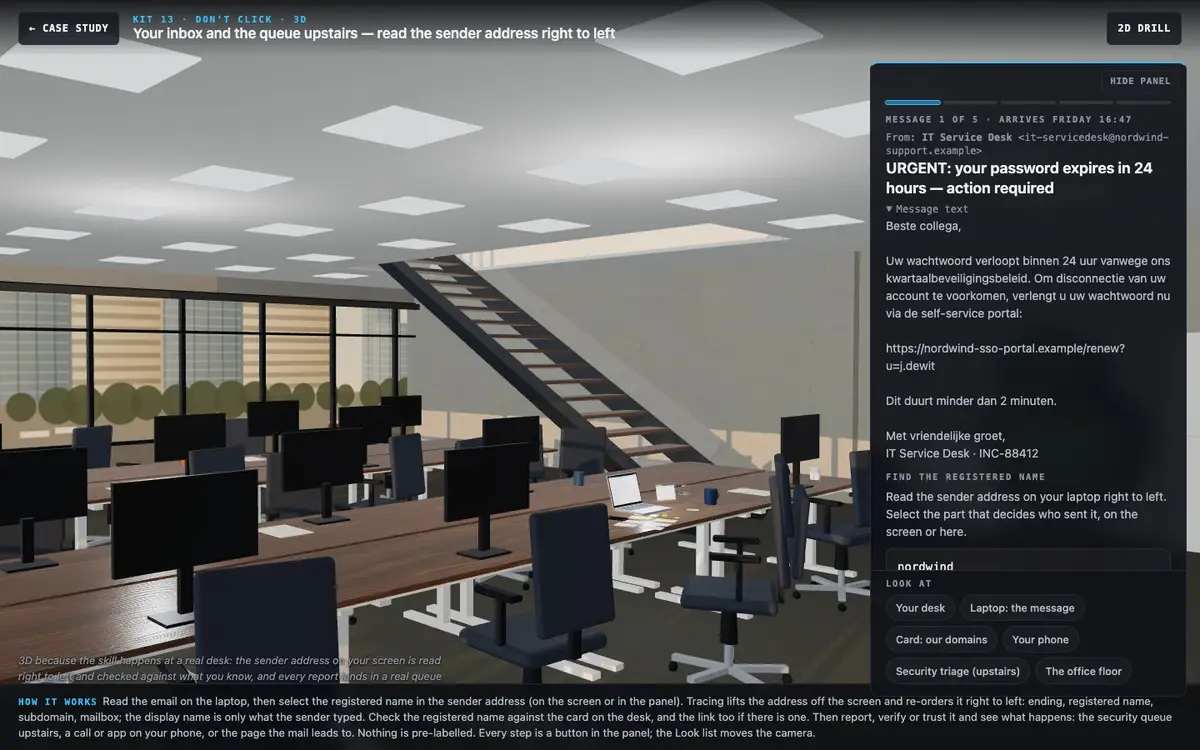
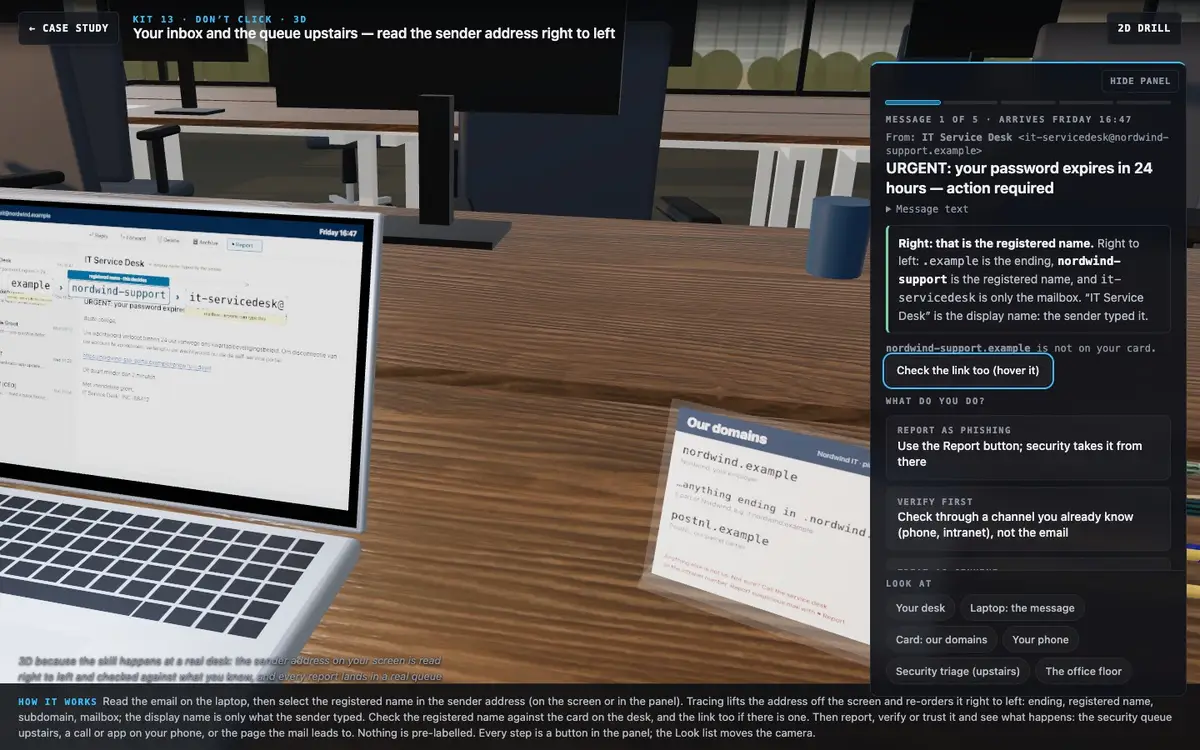
The skill happens at a real desk, so the scene is one: Nordwind's open-plan office, your hot desk and your laptop. No map, no metaphor to translate back. Each message is shown at the moment it arrives, and the light follows its clock (Monday morning, Wednesday afternoon, the low sun of Friday 16:47, Thursday dusk, Sunday night), so timing reads as pressure without a statistic.
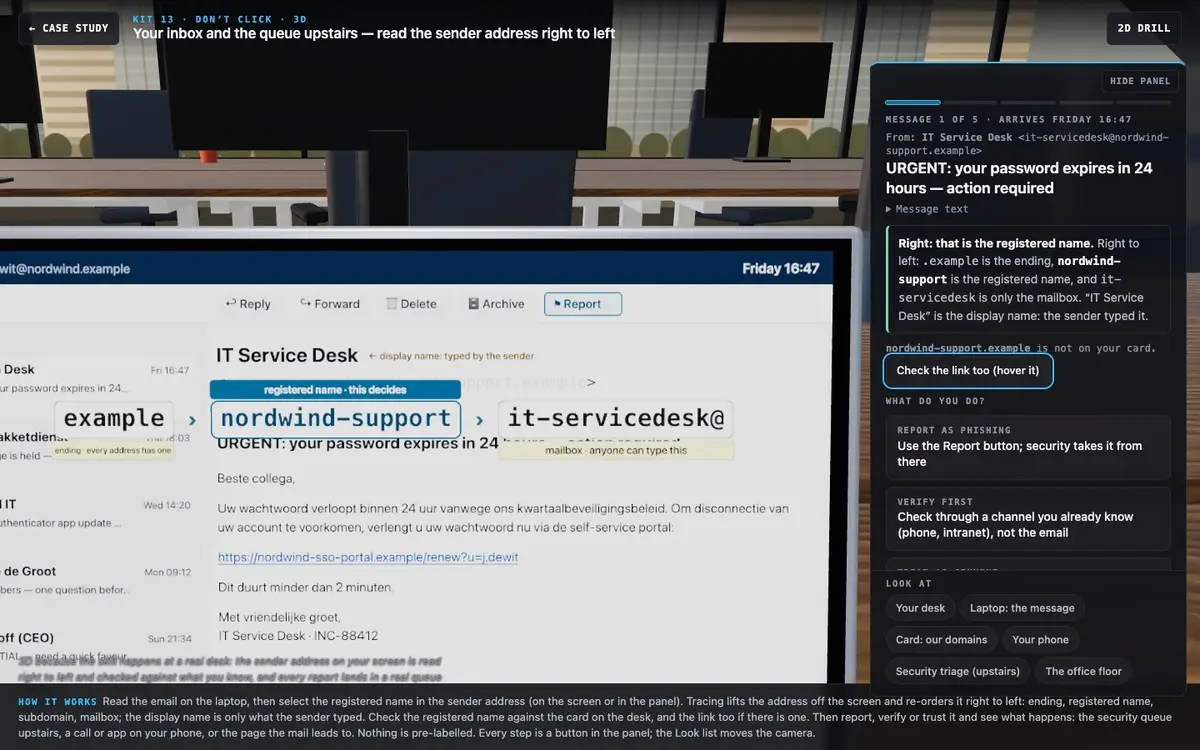
- Read. The mail client is painted on the laptop screen: inbox list, reading pane, the sender's display name and the full address.
- Name the registered name. Select it in the address on the screen itself (or in the panel). Research on URL and sender inspection supports this: selecting the domain beats being told to "check the sender".
- Trace. The address lifts off the screen and re-orders right to left, ending › registered name › subdomain › mailbox@, each tile labelled. The display name stays behind with the tag "typed by the sender".
- Check. The registered name is compared with the printed "Our domains" card in an acrylic stand on the desk (nordwind.example, anything ending in .nordwind.example, postnl.example). A matching row lights yellow; a lookalike lights nothing. A link can be traced the same way (hover shows the real target in the status bar).
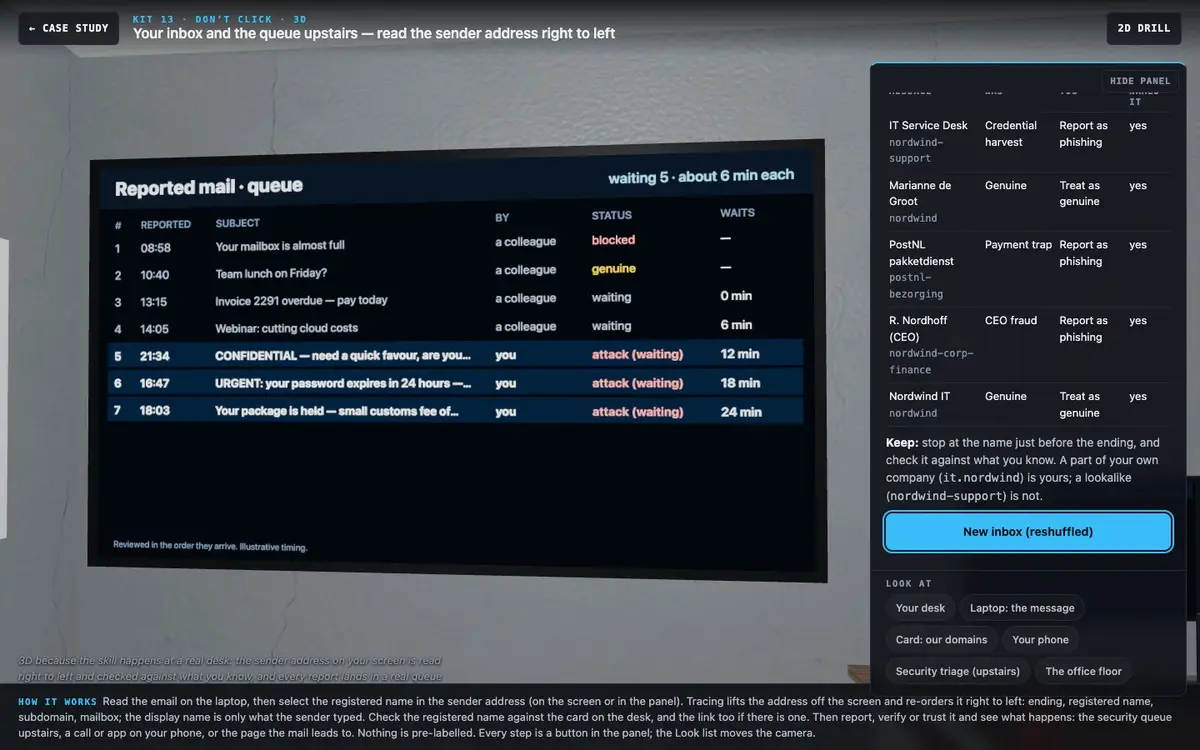
- Act, and see the real consequence. Report uses the client's ⚑ Report button; the camera rises through the stair void to the security team's triage room upstairs, where your report joins the queue on the wall screen. The queue is seeded with four colleague reports and shows about 6 minutes per review (illustrative), so a reported genuine mail visibly delays the attacks behind it. Verify uses your phone: a call to a number you already know, a Teams chat with Marianne, or the real PostNL app ("no parcel held"). Trust opens the page the attack leads to: the fake sign-on page (then a sign-in alert on the analyst's screen upstairs), the pay page or the gift-card order (then a bank notification on the phone). Trusting a genuine mail sends your reply.
- Debrief at the queue wall with every status revealed; the laptop's inbox now lists each address read right to left.
Nothing is labelled "phishing" or "safe"; the card lists only what an employee genuinely knows. People stay off-screen (the analyst's jacket is on the chair). No neon, no hacker look, no audio.
Debrief
A table per message (what it was, your action, whether you named the building), a count of genuine messages reported, and four reflexes to keep. Timing is taught as pressure ("late Friday, when the desk is closing"), not as a statistic.
Retry
"Reset mailbox" reshuffles the order; the messages stay the same.
Prefer the source? Download the raw markdown.