Phishing Recognition Drill: Report, Verify or Trust
“Modern phishing is spellchecked, branded and patient. Annual training teaches slogans; attackers write Friday-afternoon emails.”
A phishing drill with three attack families (credential harvest, trivial-fee payment trap, CEO gift-card fraud) and two deliberately genuine emails (a colleague, and a real IT notice from a subdomain of the company’s own domain) — because reflex-suspicion that flags legitimate mail destroys the trust security depends on. The debrief teaches four real reflexes, including reading timing as tactics.
The Audience
Office employees (all departments) in quarterly security awareness — plus security teams shifting training from slogan-recall to reflex-building.
Responsibilities
Attack-pattern modelling · genuine-control design · tell taxonomy · timestamp-as-tactic teaching — reflexes over slogans.
The Build
Email forensics simplified for training · distractor design · AI-assisted drafting (disclosed)
How I used AI in this case
AI generated phishing-email draft variants across the three attack families, all rewritten for calibration; attack-pattern modelling, the genuine-control design and the reflex taxonomy were authored by me. Disclosed.
The build itself, not a video about it — open it, make the calls, and read what each one costs.
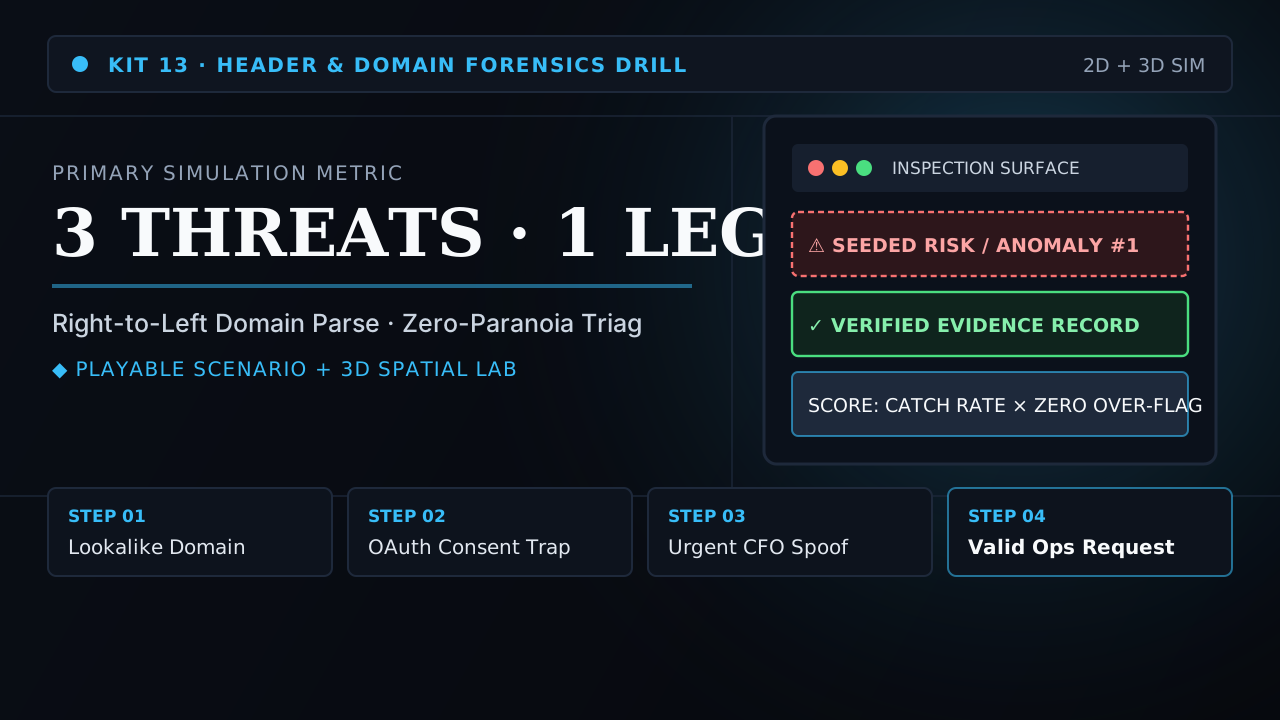
Don't Click — Primary Build
The full drill: three attack families, one genuine control, four-reflex debrief
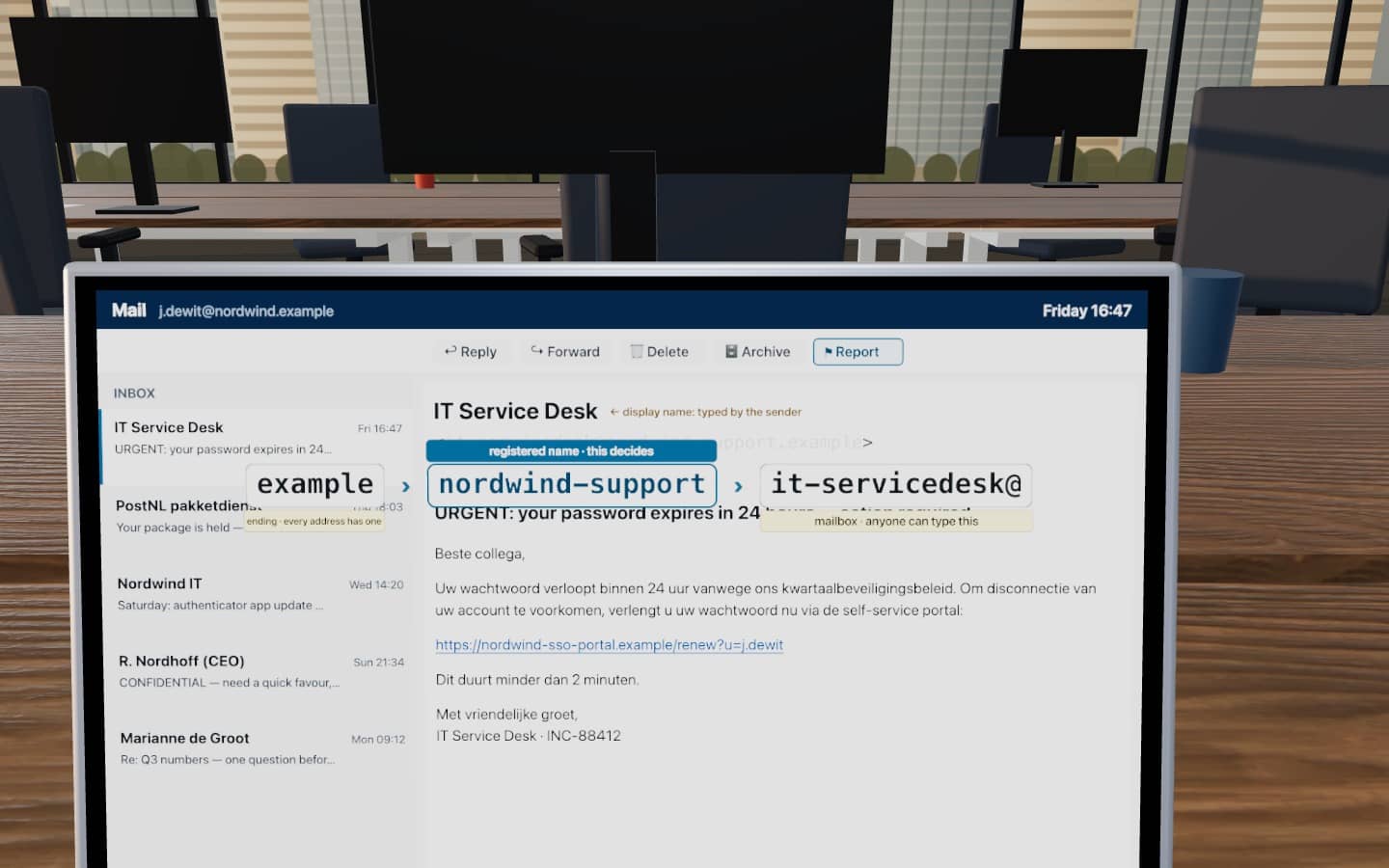
3D office: your inbox and the queue upstairs
Your hot desk at Nordwind, with each message shown at the time it arrives. Select the registered name in the sender address on the laptop; the address lifts off and re-orders right to left and is checked against the “Our domains” card. Report sends it to the security queue upstairs, Verify uses your phone, Trust opens the page the attack leads to.
Scene-by-Scene Storyboard & UI Spec
Scene plan: three attack families, one genuine control, before build. Full branching dialogue, distractor rationales, and visual system tokens.
Why conventional training failed the operational reality
Annual security training fails on two fronts simultaneously:
The gap: employees can recite "check the sender" but can't read a domain right-to-left, don't know that urgency+authority+secrecy is the signature, and have never practiced trusting a real email under suspicion.
Core diagnostic finding
People can recite “check the sender”, but they read addresses left to right, so it-servicedesk@nordwind-support looks like their IT desk. And training that only rewards suspicion teaches them to report genuine mail too. The skill is reading the address, and the standard has to punish over-flagging as well as clicking.
One email must be genuine
Illustrative premise: era is over — attacks are branded, patient, well-written
Design Constraint → Build Rule: Reflex-suspicion that flags legitimate mail destroys the trust security depends on. Designing a genuinely safe colleague email that still looks suspicious — and scoring the flag as the error — was the hardest calibration in the kit.
Tells that survive scrutiny
Illustrative premise: reporting burns trust — false positives have a cost too
Design Constraint → Build Rule: Each attack family needs real, findable tells — timestamp anomalies, payment paths — without collapsing into a spot-the-difference game.
Reflexes over slogans
Illustrative premise: attacks are timed for tired moments, such as late Friday or Sunday night (a design premise, not a statistic)
Design Constraint → Build Rule: The debrief teaches four behaviors you can do, not five things you should fear. Every reflex maps to a specific moment in the drill.
Calibration, not paranoia: read the address, then act in proportion
Performance problem
In this fictional brief, Nordwind’s office staff pass the annual awareness module, yet well-written lookalike mails still get clicked and the security team’s queue fills with reports of genuine mail. Both failures come from the same gap: people judge the message by its tone and display name, not by the registered domain.
Learners and context
Office employees in every department, Dutch and English mail mixed, mostly on laptops with the Outlook preview pane. Low motivation (security training is “annual compliance”), so the drill runs in about 8 minutes and has no slides before the first message.
Is training the answer? Not on its own
- External-sender banner. Mark mail from outside nordwind.example in the mail client. Cheap, and it does part of the right-to-left reading for people.
- One-click Report button. If reporting means forwarding to an address nobody remembers, people delete instead. The drill teaches Report; the tool has to exist.
- Phishing-resistant MFA. A harvested password should not be enough on its own. This is a security-team decision; the training does not replace it.
- Feedback to reporters. The security team should acknowledge reports, including genuine ones, without blame, or over-flaggers will stop reporting at all.
Alignment: every objective has practice, evidence, feedback and a route back to the job
| Objective | Practice | Assessment | Feedback | Transfer |
|---|---|---|---|---|
| LO1 Name the registered domain of a sender address by reading it right to left | A “which building?” question on all five messages, including a subdomain (it.nordwind) and three lookalikes | 1 point per message | Shows the address split into ending → registered name → subdomain → mailbox | One-line reflex card: “stop at the name before the ending” |
| LO2 Choose report, verify or trust in proportion to the evidence | Three actions on every message; verify is always safe but costs time | 2 / 1 / 0; trusting the password or gift-card mail is a critical error | Specific to the action, then the tells for that message | Report button in the mail client (recommended alongside the training) |
| LO3 Treat genuine mail as genuine | Two genuine messages, one of them designed to look like the IT phishing mail | Reporting one genuine message scores 0; two fails the drill | Names the cost: a colleague waiting, a queue that hides real attacks | Security team acknowledges every report without blame (recommended) |
Evidence register: what is real, what is invented
- Fictional premise Nordwind, its staff and its security queue. All domains use the reserved .example ending.
- Illustrative values Timestamps, the € 1,45 fee and the € 300 gift-card request: chosen to resemble common attack patterns, not taken from incident data.
- Design decision The 12 / 15 pass mark and the one-over-flag limit.
- Not measured Click rates, report rates or false-report rates. Nobody has taken this drill in a real organisation.
Measurable Performance Objectives
Three objectives, each with its own evidence in the drill. Passing needs 12 of 15 points, nothing lost, and no more than one genuine email reported.
Name the registered domain of a sender address by reading it right to left, including when the company name appears inside a lookalike or as a subdomain.
Evidence in the build: the “which building?” question on all five messages (1 point each).
Choose report, verify or trust in proportion to the evidence, and never act on a password or payment request that arrives by email.
Evidence in the build: the action on each message (2 / 1 / 0); two critical-error responses.
Treat genuine mail as genuine, including a real IT notice that sounds like the IT phishing mail.
Evidence in the build: the two genuine messages; a second over-flag fails the drill.
Why This Modality Won (Trade-Off Analysis)
Before committing to the final architecture, we evaluated and rejected lower-transfer alternatives against the workplace constraints:
Already scheduled, already budgeted. Rejected because it had produced a decade of exactly the current click rates — awareness modules teach the words 'think before you click' and leave the 16:47 Friday reflex untouched.
Simple and memorable. Rejected because calibration beats paranoia: a desk that reports every genuine email trains itself out of credibility, and the SOC drowns in false positives while the real attack gets lost in the noise. The genuine control IS the lesson.
A phishing drill with three attack families (credential harvest, trivial-fee payment trap, CEO gift-card fraud) and two deliberately genuine emails (a colleague, and a real IT notice from a subdomain of the company’s own domain) — because reflex-suspicion that flags legitimate mail destroys the trust security depends on. The debrief teaches four real reflexes, including reading timing as tactics.
Why a discrimination task
Pairs that differ in one place
The two IT messages share topic, tone and urgency. Only the registered name differs. Contrasting cases like this teach the cue that matters instead of a list of things to fear.
Why score over-flagging
A standard with two failure modes
If only clicking is penalised, the cheapest strategy is to report everything. Scoring genuine mail as well makes the drill measure judgment, which is what the security queue needs.
Why 3D here
The skill happens at a desk
The check is practised where it happens: on the laptop, at the moment the mail arrives. Learners select the registered name in the address on the screen, since inspection tasks help more than being told to check the sender; then the address re-orders right to left and is compared with the card of domains an employee really knows. The cost of over-reporting is visible upstairs: a genuine mail in the security queue makes the real attacks behind it wait.
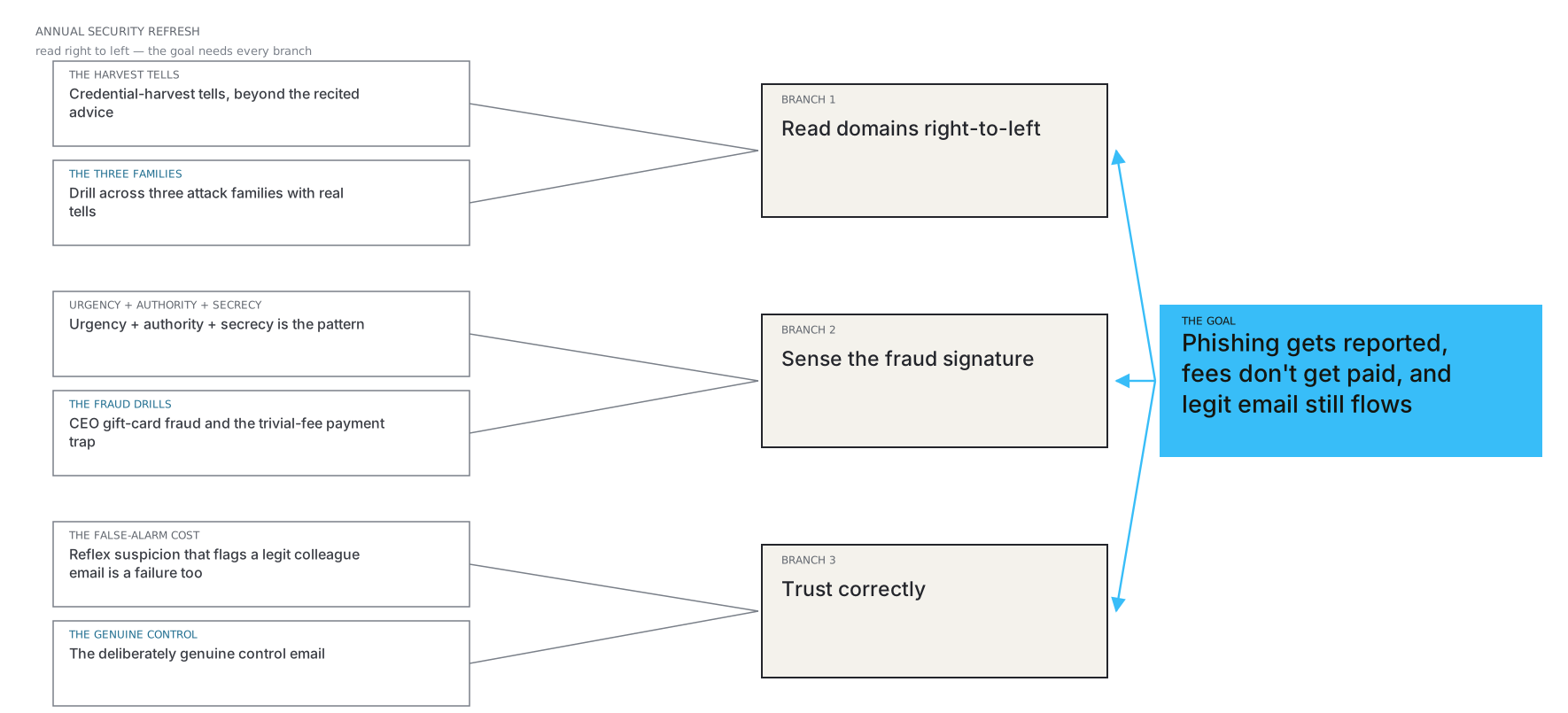
Production Sequence & Traceable Artifacts
The stages below show how the artifacts depend on each other. In this fictional case one designer produced all of them.
What would tell us it worked
A proposed plan. Nothing below has been measured; the numbers it would produce do not exist yet.
| Question | Measure / instrument | When | What we would do with the answer |
|---|---|---|---|
| Can people read the address? | “Which building?” accuracy per message, especially the IT pair | Pilot with one department (20–30 people) | If the subdomain message is missed by most, add a worked example before the first message |
| Are they calibrated? | Over-flag rate on the two genuine messages next to the critical-error rate | Same pilot | A drop in clicks with a rise in over-flags is not a success; rebalance feedback |
| Does reporting change at work? | Reports via the Report button and the share that are genuine mail (security-team data) | 4–8 weeks before and after rollout | Agree the data with the security team first; compare with a department that has not taken the drill yet |
| Is the reflex kept? | Response to the organisation’s own simulated phishing, if it runs one | Next scheduled simulation | If the organisation does not run simulations, do not start them just for this measure |
Instructional Design Takeaway
“Why this form wins: the problem is reflexes under realistic pressure — both directions — so the solution is the inbox itself, with timing as part of the attack design and four named tells in the debrief.”
Annual security training produced slogan recall and nothing more — while the phishing arriving daily was spellchecked, branded, and patient. The missing layer was reflexes, including the reflex to trust a genuine email under general suspicion. The proposal was an inbox drill with a genuine control: four real-shaped messages — credential harvest, trivial-fee trap, CEO fraud — and one authentic colleague question that must NOT be reported, because false positives burn trust and cost the SOC real hours.
Transparent Portfolio Scope
Honest limitation: five messages and simplified forensics. Real verification belongs to the security team and its tools; this drill rehearses the human first look. All domains use the reserved .example ending.