L&D Operations Triage: Solve, Escalate, Document
“Monday 08:40. Eight emails, three lanes, and an SOP that names which is which.”
A triage drill: eight Monday emails, a 12-clause SOP binder and three lanes. The learner cites the clause before routing, so the lane is a rule and never a mood. Fast routing is flagged, never penalised; the debrief names the pattern, and one escalation note is written at the end.
The Audience
L&D coordinators and operations staff in firms with centralized learning-admin teams — plus anyone inheriting a shared inbox.
Responsibilities
Inbox-family design · SOP voice · timing-pressure mechanic · pattern debrief — triage as three answerable questions.
The Build
Triage design · SOP writing · pressure mechanics · AI-assisted drafting (disclosed)
How I used AI in this case
AI drafted variant inbox emails and SOP phrasing options; the triage lanes, the SOP voice, the cite-before-routing mechanic, the look-alike clauses and the debrief scoring were designed by hand. Edited, verified and disclosed.
The build itself, not a video about it — open it, make the calls, and read what each one costs.
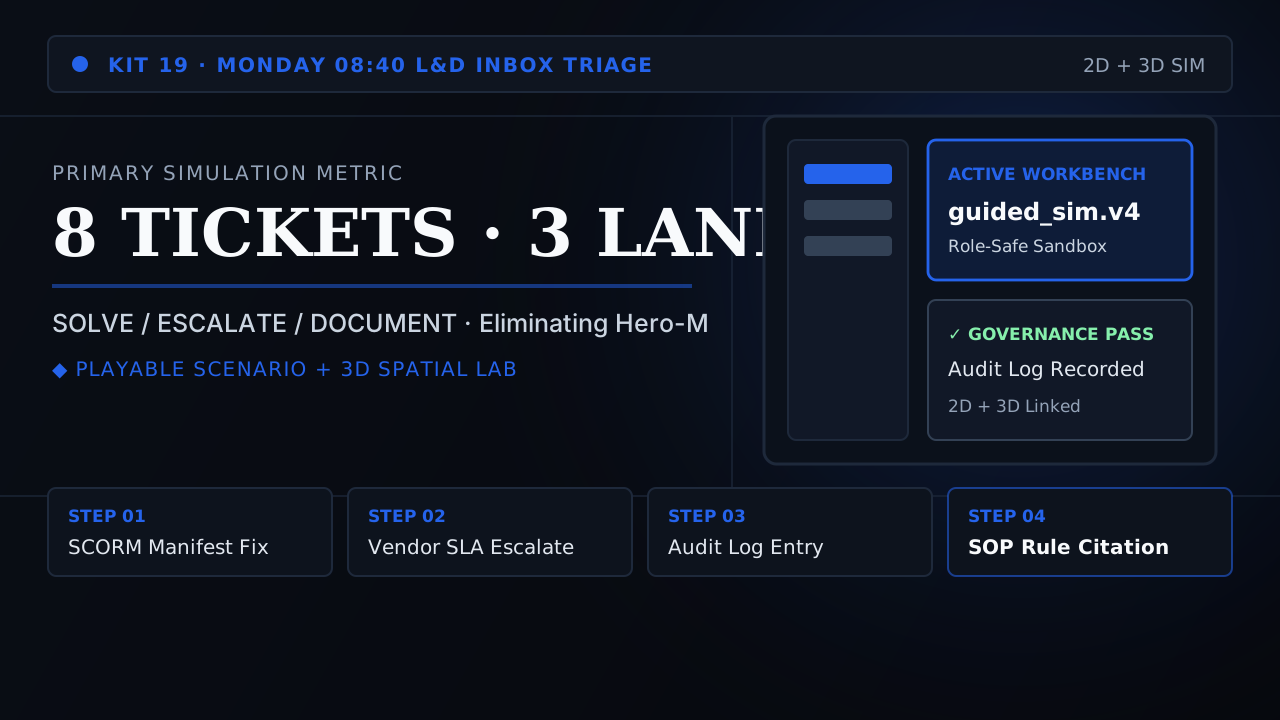
Desk Zero — Primary Build
The full drill: eight emails, cite the clause, route, debrief, write the note
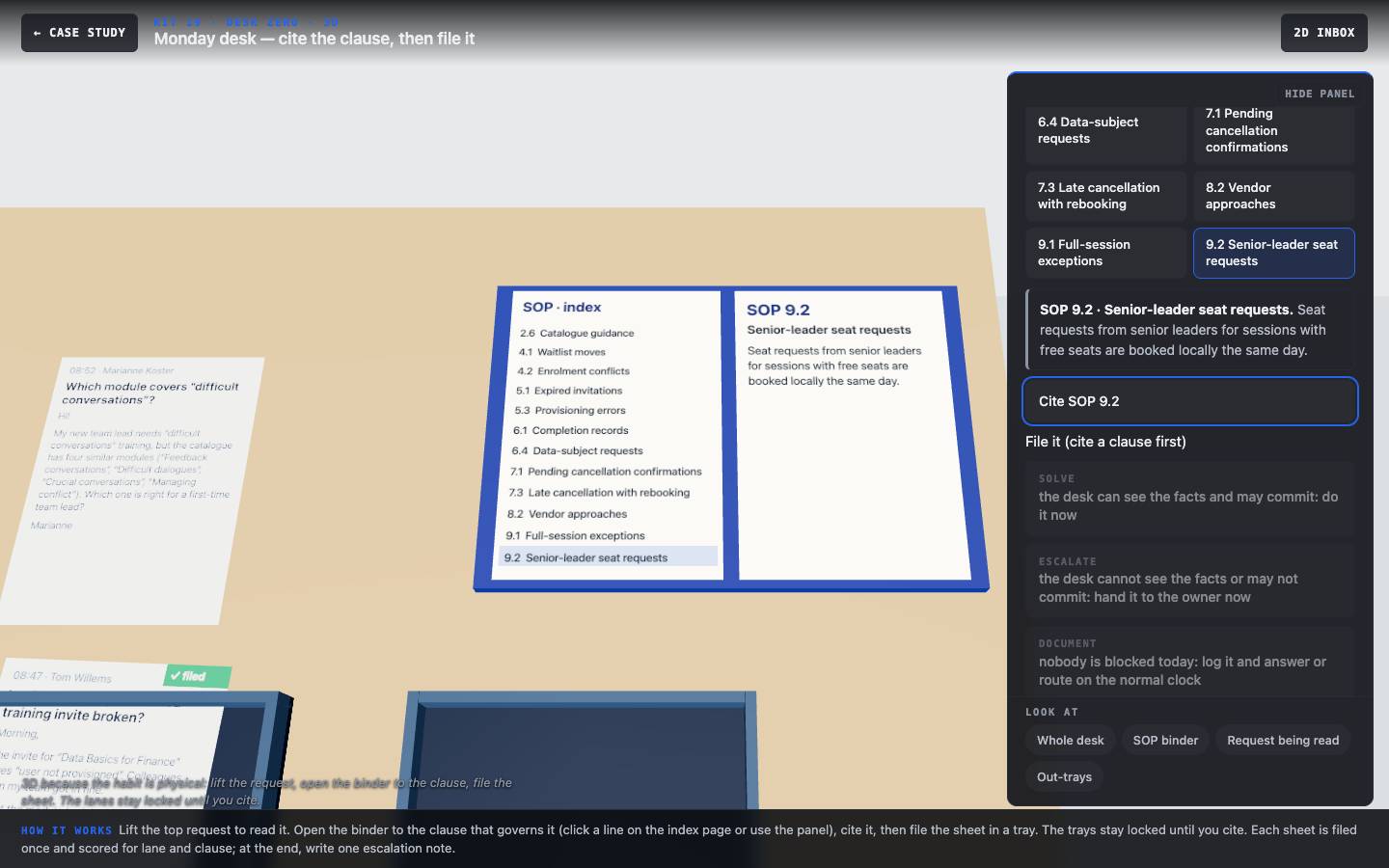
3D Monday desk
Lift each request from the in-tray, open the SOP binder to the clause that governs it, cite it, then file the sheet in a tray. At the end, write the escalation note that gets pinned to the wall.
Scene-by-Scene Storyboard & UI Spec
The cite-then-route flow, the eight emails with their look-alike clause traps, the note task and the scoring.
Why conventional training failed the operational reality
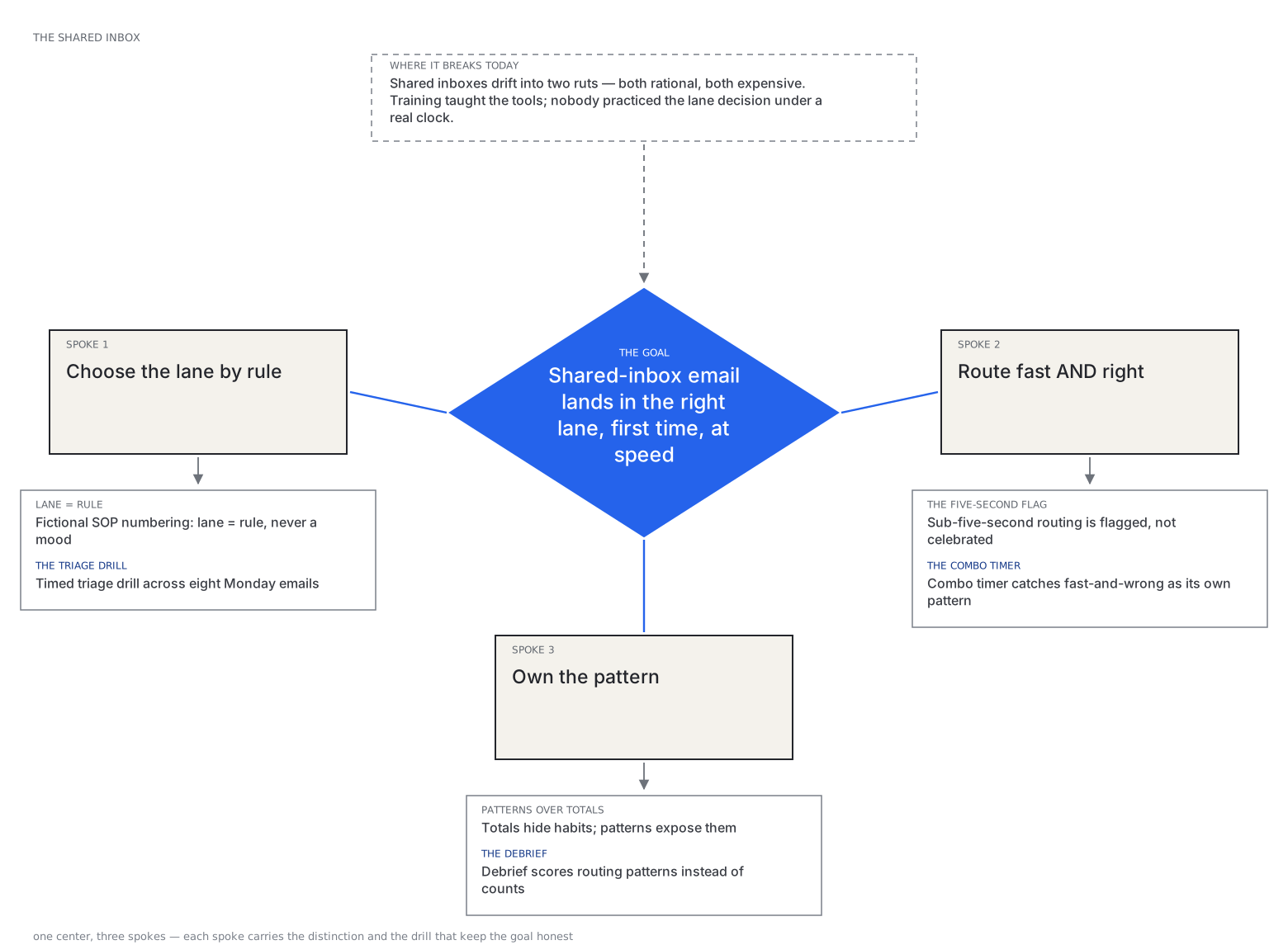
Shared inboxes drift into two ruts, both rational, both expensive:
Training had taught the tools. Nobody had practiced the lane decision under a real clock — with a director's office on one side and a timezone-shifted admin team on the other.
Core diagnostic finding
In this fictional brief, coordinators knew the three lanes but routed by sender and subject line. The errors clustered on look-alike cases: a waitlist that was really a conflict, an invite that was really a provisioning error, a senior request for a session that was full. And escalations arrived as forwards the owner could not act on.
Lanes as rules, not moods
Illustrative premise: solving what you cannot see — provisioning, GDPR, policy exceptions
Design Constraint → Build Rule: Triage feedback cites fictional SOP numbers so the lane is always a rule. Writing SOPs worth citing — specific enough to judge, short enough to skim — was the real work.
Speed that punishes the right thing
Illustrative premise: escalating what the desk exists to solve — confirmations, rebookings
Design Constraint → Build Rule: Routing within five seconds of opening is flagged in the debrief and never subtracts points: fast and right is experience, fast and wrong is autopilot.
Eight emails, one Monday
Design premise: see the design brief below for the constraint this rule answers
Design Constraint → Build Rule: The set must cover the inbox families without feeling like a catalog; each email earns its place by testing a different routing judgment.
The lane is a rule, not a mood
Performance problem
In this fictional firm, a shared L&D inbox drifted into two ruts: solving what the desk cannot see (provisioning, data requests, full sessions) and escalating what it exists to solve. Escalations that did go up rarely said what the owner needed to decide.
Learners and context
L&D coordinators and operations staff working a shared inbox, plus anyone inheriting one. The drill takes about 12 minutes including the note.
Is training the answer? Not on its own
- Clause titles. Look-alike titles invite misrouting; the SOP owner could rename them (“Seat requests: free seats only”).
- System guard. If the LMS lets a coordinator overbook a full session, a rule alone will not hold.
- Templates. An escalation template in the shared mailbox makes a complete note the default.
Alignment: every objective has practice, evidence, feedback and a route back to the job
| Objective | Practice | Assessment | Feedback | Transfer |
|---|---|---|---|---|
| LO1 Find and cite the SOP clause that governs a request | Binder lookup for 8 emails, look-alikes side by side | Clause matches (8 points) | Names the governing clause and why the look-alike does not apply | The real SOP, renamed titles (recommended) |
| LO2 Route each request solve, escalate or document by the clause | Lanes unlock after citing; filed once | Lane matches (8 points); hero / escalitis pattern | What goes wrong on the lane chosen | Three questions: can we see it, may we commit, is anyone blocked today |
| LO3 Write an escalation the owner can act on without asking | Escalation note for the director’s request | Four-item rubric; clause auto-checked, rest self-assessed | Model note | Escalation template in the shared mailbox (recommended) |
Evidence register: what is real, what is invented
- Fictional premise Vanleeuw & Partners, its GLA team, the people, the emails and every SOP clause.
- Design decision The 12 clauses, the look-alike pairs, the scoring (16, pass 14) and the rubric. The earlier pages disagreed on the target (≥90% vs ≥75%); one proposed target replaces both.
- Not measured Routing accuracy or queue volume on a real desk. A claim about “every coordinator in the study” described no study and was removed.
Measurable Performance Objectives
Three objectives. The earlier LO3 (“document so the next reader can act”) had no practice; the note task now provides one.
For each request, find and cite the SOP clause that governs it, telling it apart from a look-alike clause.
Evidence in the build: clause on each of 8 emails.
Route each request solve, escalate or document according to the cited clause.
Evidence in the build: lane on each of 8 emails; hero-mode and escalitis counts.
Write an escalation note that cites the clause, states the facts, names the decision and a time, and promises nothing.
Evidence in the build: four-item rubric (clause auto-checked, the rest self-assessed against a model).
Why This Modality Won (Trade-Off Analysis)
Before committing to the final architecture, we evaluated and rejected lower-transfer alternatives against the workplace constraints:
Accurate and already written. Rejected as the only fix because the failure in this fictional brief is applying the clause under a live inbox, not knowing it exists. The binder stays: the drill makes looking it up part of the task.
Genuinely valuable. Rejected as the core format because shadowing exposes you to whatever arrives that day — no guarantee the eight high-signal email families ever come up. The drill guarantees coverage of all of them, with the timer adding the pressure shadowing lacks.
A triage drill: eight Monday emails, a 12-clause SOP binder and three lanes. The learner cites the clause before routing, so the lane is a rule and never a mood. Fast routing is flagged, never penalised; the debrief names the pattern, and one escalation note is written at the end.
Why cite first
The lookup is the skill
Feedback that names the clause after the choice teaches recognition. Making the learner find the clause first, with look-alikes beside it, practises the reading the job needs.
Why no retry
Filed once
The earlier 3D sent misfiled emails back to the tray until they landed right, so anyone could finish with full marks. Each sheet is now filed once and the miss is explained.
Why 3D here
A physical routine
Lift, look up, cite, file: the desk makes the four steps visible, and the trays stay locked until a clause is cited.
Production Sequence & Traceable Artifacts
The stages below show how the artifacts depend on each other. In this fictional case one designer produced all of them.
What would tell us it worked
A proposed plan. Nothing below has been measured.
| Question | Measure / instrument | When | What we would do with the answer |
|---|---|---|---|
| Can coordinators find the right clause? | Clause matches per look-alike pair | Pilot with one desk | A pair missed by most learners goes to the SOP owner for renaming |
| Do they route by the clause? | Lane score, hero and escalitis counts, fast-and-wrong rate | Same pilot | Target 14/16 on first run; below that, review the emails before the learners |
| Are escalations actionable? | Sample of real escalations scored on the four-item rubric | Six weeks after | If facts or a decision time are missing, add the template before more training |
Instructional Design Takeaway
“Why this form wins: the problem is lane selection under pressure, so the solution is the inbox itself with the clock running — and a debrief that scores your pattern (hero, escalitis, defensible) instead of a bare total.”
L&D-operations desks drift into two ruts: hero mode (solving what you cannot see — provisioning, GDPR, policy exceptions) and escalitis (escalating what the desk exists to solve). Both are rational; both are expensive. The proposal was a timed triage drill: eight realistic Monday emails, three lanes — SOLVE, ESCALATE, DOCUMENT — with every lane's feedback citing the SOP rule, and a rush flag that asks whether you read the message or recognized its shape.
Transparent Portfolio Scope
Honest limitation: a fictional firm and SOP. Real desks have different lanes and clauses; the drill teaches looking up and citing the rule, not this firm’s rules.